The Short Answer: It Depends on the Sensor
Have you ever seen your robot vacuum look lost, get stuck, or refuse to cross a dark rug? You’re not crazy. It’s a real problem, and it all has to do with one piece of hardware: the cliff sensor.
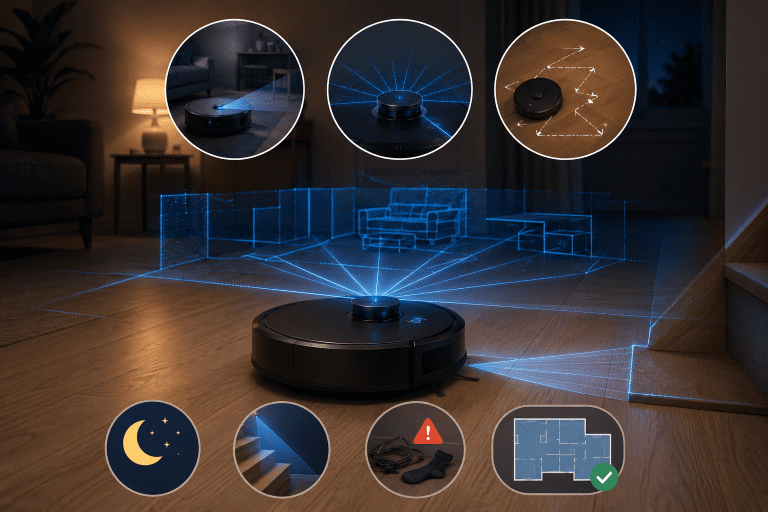
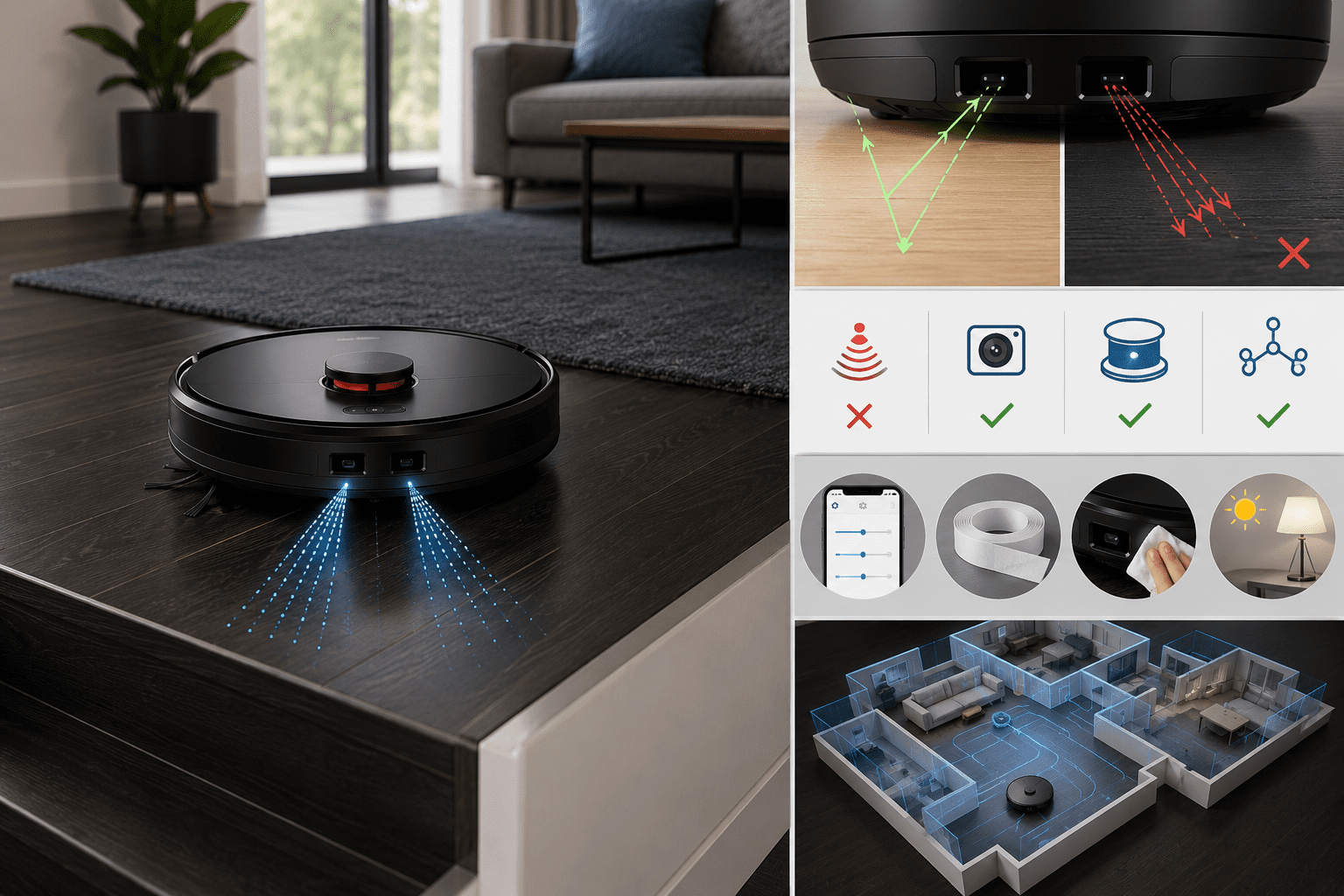
Most robot vacuums have infrared cliff sensors to detect drop-offs like stairs. The sensor shoots out an infrared beam and then waits for it to bounce back. On light-colored floors, the beam reflects quickly and clearly. On dark or black surfaces, the material absorbs the infrared light, and the sensor reads that as “nothing there” — which the vacuum interprets as a cliff.
The result? It stops, backs up, or avoids that area entirely.
Why Dark Floors Fool Cliff Sensors
The problem is physics, not a design flaw exactly. Infrared light behaves differently depending on the surface it hits.
Dark colors, especially matte black or very deep charcoal, absorb light rather than reflect it. So the sensor gets a weak or delayed return signal, and the vacuum’s onboard logic decides it’s better to play it safe. That cautious behavior is intentional — no one wants their $400 robot vacuum tumbling down a staircase.
The issue shows up most with:
- Black or very dark hardwood floors
- Dark-colored area rugs (especially with low pile)
- High-gloss dark tiles (which can scatter the beam unpredictably)
- Dark floor transitions or thresholds
Lighter floors — think blonde wood, white tile, or light gray concrete — almost never trigger this problem.
Which Robot Vacuums Handle Dark Floors Better?
Not all robot vacuums are equally affected. Manufacturers have been aware of this issue for years, and some models handle it better than others through sensor calibration, software tuning, or using additional navigation systems.
Here’s a general comparison of how different navigation technologies fare on dark floors:
| Navigation Type | Dark Floor Performance | Notes |
|---|---|---|
| Basic infrared only | Poor | Most prone to false cliff detection |
| Camera-based (vSLAM) | Good | Relies more on visual mapping, less on IR |
| LiDAR-based | Good to Very Good | Doesn’t rely on floor reflection for navigation |
| Multi-sensor fusion | Good | Combines data sources to compensate |
LiDAR-equipped vacuums like the Roborock S8 series or Dreame L20 Ultra tend to perform better because their primary navigation doesn’t depend on floor reflectivity. They use a spinning laser to map the room geometry, and cliff sensors are just a secondary safety check.
Camera-based models, like older Roombas using iAdapt, can still struggle depending on how aggressively the cliff sensor threshold is set.
Some brands have also released firmware updates specifically to tune sensitivity for dark floors, so it’s worth checking if your model has a “dark floor mode” or similar setting in its app.
Practical Fixes If You’re Already Having This Problem
If you own a robot vacuum that’s acting strange on your dark floors, there are a few things worth trying before you consider returning it.
Check for a sensitivity setting. Apps for iRobot, Roborock, and Dreame sometimes include cliff sensor sensitivity adjustments. Lowering the sensitivity can help the vacuum tolerate dark surfaces without thinking it’s about to fall off an edge.
Use virtual barriers strategically. If the vacuum avoids one specific dark rug or floor section, try mapping it differently through the app. Some users create a cleaning zone that forces the robot to approach from a different angle, which occasionally helps.
Sensor sticker trick. This one sounds odd, but it works. Some users place small pieces of white electrical tape or reflective sticker strips over the cliff sensors. It reduces the sensor’s range and stops the false-positive cliff detection. The obvious downside is that you’re disabling a safety feature, so this is only a good idea on a single-level home with no stairs.
Clean the sensors. This doesn’t fix the dark floor issue specifically, but dirty sensors can make sensitivity problems worse. A quick wipe with a dry microfiber cloth every couple of weeks keeps them reading accurately.
Consider the lighting. Infrared sensors are also affected by ambient light. Direct sunlight or bright lamps near a dark floor can sometimes affect the readings of the sensors. Try running the vacuum at a different time of day and see if the behavior changes.
What to Look for When Buying for Dark Floors
If you’re shopping specifically for a robot vacuum to use on dark hardwood or tile, a few specs are worth prioritizing.
LiDAR navigation is your safest bet. It’s become more affordable over the last couple of years, and the primary benefit here isn’t just mapping accuracy — it’s that these units rely less on floor-reflective sensors for basic operation.
Look for cliff sensor adjustability. Brands that expose this setting in their apps (Roborock is good about this) give you more control over the behavior without any hardware hacks.
Read user reviews specifically mentioning dark floors or dark rugs. Aggregate review scores don’t always surface this issue, but filtered reviews or community forums like Reddit’s r/roomba or r/VacuumCleaners often have first-hand accounts from people with similar flooring.
Avoid units that only mention “smart sensors” without specifying what type. That’s often marketing language for basic infrared setups with no additional compensation built in.
Bottom Line
Robot vacuums can work on dark floors, but not all of them do — and the ones that struggle usually do so because of how their cliff sensors respond to low-reflectivity surfaces. It’s not a dealbreaker for every dark floor situation, but it’s a real enough issue that it should factor into your buying decision.
If you already own one that’s misbehaving, the sensor sticker fix or app sensitivity settings are worth trying first. If you’re still shopping, go with a LiDAR-based model and verify that the app lets you tune cliff sensor sensitivity.
Dark floors aren’t going anywhere, and frankly, neither should your robot vacuum.